

Home > Application Settings > Convert the Device Settings File


Convert the Device Settings File
BRConfiguration Tool supports JSON and ELDPK settings file formats and allows you to encrypt and decrypt these files.
- Click
 to open the Application settings window.
 - Click the File Conversion menu in the left pane.
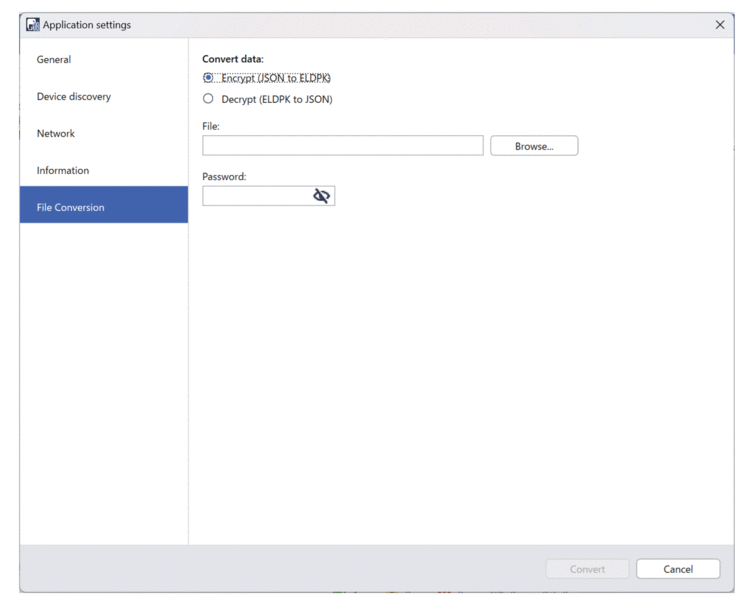
- Do one of the following:
- Select Encrypt (JSON to ELDPK) to convert a JSON file to an ELDPK file.
- Select Decrypt (ELDPK to JSON) to convert an ELDPK file to a JSON file.
- Specify the location of the file you want to convert by typing the file path in the File: field or clicking Browse.
 The converted file is saved in the same folder as the original file.
 - Type the password in the Password: field.
For encryption: Enter any password of your choice.
For decryption: Enter the password that was set for the device when the backup file was created.
- Click Convert to convert the file.
Did you find the information you needed?