



Change the Cutting Options (Windows)
The cutting options allow you to specify how labels are fed and cut. If you do not use P-touch Editor, you can change the cutting options in the printer driver by following these steps:
- Click Printing Preferences in the printer driver.
- Select the Cut Every checkbox, and then select where to cut when multiple labels are printed.
- Select the Cut at End checkbox.
- Click OK.
Label Cutting Options
| Auto Cut (Cut every one label) | Cut at End | Example |
|---|
| Off | On |  |
| Off | Off | 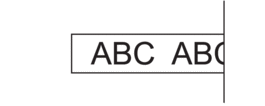 |
| On | On or Off | 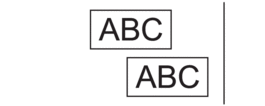 |
Did you find the information you needed?