
DCP-L3527CDW
 |
FAQs & Troubleshooting |
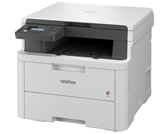
DCP-L3527CDW
Search by Keyword(s)
Categorised
How To / Troubleshooting
Setup / Settings
Consumables & Accessories / Routine Maintenance
Others
Popular
Updated:03/04/2026
These are the most viewed FAQs, ranked by popularity.
- 1.(Video) Paper is Jammed in the Back of the Machine
- 2.I updated my Windows 11 PC through Windows Update and I can no longer Print, Scan or Fax from my PC.
- 3.Update the Driver or Firmware for your Brother machine
- 4.(Video) Paper is Jammed in the Manual Feed Slot
- 5.I cannot repair the wired or wireless connection using the Network Connection Repair Tool (Windows)
Latest
These are the latest FAQs, sorted by last update date.
17/03/2026
I cannot install the printer driver or print in Windows 11.
12/02/2026
I cannot find a file downloaded from the Brother support website (For Windows)
12/02/2026
Use Universal Print (Mac)
21/01/2026
Where can I download Brother iPrint&Scan application for Mac?
21/01/2026
I cannot scan via network.