
TD-2125NWB
 |
FAQs & Troubleshooting |
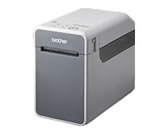
TD-2125NWB
Search by Keyword(s)
Categorised
Getting Started
Easy Tasks
Troubleshooting
Others
Popular
Updated:03/04/2026
These are the most viewed FAQs, ranked by popularity.
- 1.How do I connect the printer and my mobile device via Bluetooth®?
- 2.Although "Auto Power On" or "Power On When Plugged in" is set to On in the Printer Setting Tool, the printer does not turn on automatically.
- 3.(Video) How to use Excel data to print labels (P-touch Editor 5.x for Windows)
- 4.How to use Excel data to print labels (P-touch Editor 5.x for Windows)
- 5.How do I transfer label templates with P-touch Transfer Express?
Latest
These are the latest FAQs, sorted by last update date.
