
MFC-620CN
 |
FAQs & Troubleshooting |
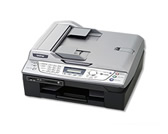
MFC-620CN
Search by Keyword(s)
Categorized
How To / Troubleshooting
Setup / Settings
Consumables & Accessories / Routine Maintenance
Others
Popular
Updated:09/29/2026
These are the most viewed FAQs, ranked by popularity.
- 1.The error message "No Supported Devices Found" appears on the Brother iPrint&Scan (mobile device).
- 2.How do I know the current network configuration?
- 3.I cannot install Brother drivers on Debian 10 or later (Linux)
- 4.When I print, the pages are smudged with ink. What should I do?
- 5.I cannot use the Scan to E-mail with Outlook2003 or Outlook2007 after updating ControlCenter3. The error message "command line argument is invalid" appears. What can I do?
Latest
These are the latest FAQs, sorted by last update date.
09/24/2026
How do I print on an envelope?
06/01/2026
How to identify your Operating System (OS).
02/05/2026
I cannot find a file downloaded from the Brother support website (For Windows)
04/16/2025
I cannot print from my computer via USB.
06/19/2024
I cannot install the fax driver (brmfcfaxdrv) in Fedora 40 or later, or in its derivatives. (Linux)