
MFC-J220
 |
FAQs & Troubleshooting |
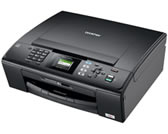
MFC-J220
Search by Keyword(s)
Categorized
How To / Troubleshooting
Setup / Settings
Consumables & Accessories / Routine Maintenance
Others
Popular
Updated:09/25/2026
These are the most viewed FAQs, ranked by popularity.
- 1.The error message "No Supported Devices Found" appears on the Brother iPrint&Scan (mobile device).
- 2.Replace Ink
- 3.Print using only the black ink cartridge when the Color cartridges have run out.
- 4.When I try to scan the document, the scanner application crashes. (OS X 10.11)
- 5.One or more of my colors are not printing (blank). What can I do?
Latest
These are the latest FAQs, sorted by last update date.
09/24/2026
Load paper in the paper tray
08/05/2026
The error message "No machine found" appears when I installed drivers with USB connection (For Windows 11).
06/01/2026
How to identify your Operating System (OS).
02/05/2026
I cannot find a file downloaded from the Brother support website (For Windows)
11/05/2025
I cannot find some option in the Printing preferences. (For Windows)