
MFC-J835DW
 |
FAQs & Troubleshooting |
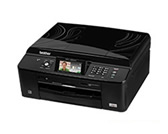
MFC-J835DW
Search by Keyword(s)
Categorized
How To / Troubleshooting
Setup / Settings
Consumables & Accessories / Routine Maintenance
Others
Popular
Updated:11/19/2026
These are the most viewed FAQs, ranked by popularity.
- 1.The error message "No Supported Devices Found" appears on the Brother iPrint&Scan screen (mobile device).
- 2.I installed the Full Driver & Software Package, but some applications were not installed. (For Windows 10)
- 3.I cannot repair the wired or wireless connection using the Network Connection Repair Tool (Windows)
- 4.How do I load paper?
- 5.Paper Jam
Latest
These are the latest FAQs, sorted by last update date.
10/29/2026
Adjusting the disc print position
10/29/2026
Install NewSoft CD Labeler software in Macintosh.
10/01/2026
The Scan button is grayed, shaded or unavailable in PaperPort 12 SE on Windows 8
10/01/2026
I still receive the error message "Paper Jam" after I removed the jammed paper.
10/01/2026
Ink is still wet after printing on Glossy Paper and even after ink dries, smudge appears.