
RJ-2140
 |
FAQs & Troubleshooting |
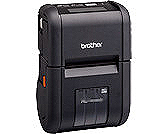
RJ-2140
Search by Keyword(s)
Categorized
Getting Started
Easy Tasks
Troubleshooting
Others
Popular
Updated:09/25/2026
These are the most viewed FAQs, ranked by popularity.
- 1.The WLAN icon appears on the LCD, but the printer cannot communicate with other devices via a wireless LAN.
- 2.How do I connect the printer to my computer via Wi-Fi®?
- 3.I cannot select the label size or print after installing the printer driver using a USB connection. (Windows 11)
- 4.How do I transfer label or slip templates?
- 5.How do I reset Wi-Fi® setting?
Latest
These are the latest FAQs, sorted by last update date.
09/11/2026
I get an error when connecting Excel (.xlsx, .xlsm) or Access (.accdb) database files in P-touch Editor 5.4.017 or later (Windows)
08/28/2026
Using the Device Settings (for Windows)
08/26/2026
What do the indicator lights mean?
08/26/2026
How do I transfer label or slip templates?
08/26/2026
How do I connect RJ printer to my computer?