
TD-4550DNWB
 |
Manuals |
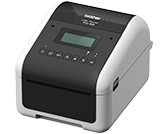
TD-4550DNWB
Language
User's Guide

Release Date: 09/04/2019
Version: 01
Size: 6.25MB
For basic information about the product.

Release Date: 04/06/2019
Version: 01
Size: -
For more information about using your machine.
Release Date: 01/12/2022
Version: 06
Size: 0.32MB
Default login password information for network utilities.
Quick Guide
Release Date: 17/03/2022
Version: 04
Size: 0.81MB
For the installation of the product.
Software Guide
Release Date: 12/02/2026
Version: 07
Size: 1.42MB
For information about BRAdmin Professional 4.
Release Date: 16/05/2023
Version: 02
Size: 0.57MB
For information about BRAdmin Professional 4 for Microsoft Azure.
Other
(2 languages)
For information about safety and proper operation.
Release Date: 22/03/2019
Version: 1.00
Size: 0.11MB
This is the remarks for the Open Source that Brother provides.
Release Date: 28/01/2019
Version: 01
Size: 0.12MB
List of Apple devices that can be used with this printer.
Release Date: 09/12/2019
Version: 02
Size: 0.45MB
This guide provides information for using AirPrint to print from a Mac or Apple device.
Release Date: 27/01/2026
Version: 11
Size: 0.09MB
This is a list of models and device types that can be used with SAP.
Release Date: 26/12/2025
Version: 1.03
Size: 1.27MB
This command reference is a system developed for manual written for Raster Commands.
Release Date: 26/08/2024
Version: 3.05
Size: 1.16MB
This manual is a command reference for the ESC / P printer command language
Release Date: 20/08/2025
Version: 3.08
Size: 1.76MB
This manual includes information and P-touch Template.
Release Date: 30/06/2021
Version: 01
Size: 0.56MB
For Information about Product Dimensions.
Release Date: 01/04/2026
Version: 1.1
Size: 0.38MB
This document describes the disinfectants tested on the TD-2D/TD-4D printer series and their impact on the printers’ appearance and usability.
Accessories Installation Guide
Release Date: 24/06/2026
Version: 02
Size: 0.63MB
For information about Tablet Holder.

Download and view the document in PDF format. PDF documents require the installation of the Adobe® Acrobat® Reader® software. If you do not have the Adobe® Acrobat® software, click the "Adobe® Acrobat® Reader®" link to download the software.