

Home > Troubleshooting > Printing Problems


Printing Problems
If you need additional help, visit support.brother.com.
| Problem | Solution |
|---|
| The Label Printer does not print. |
|
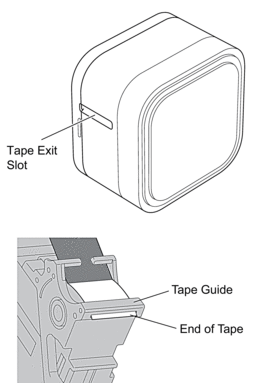
| The tape does not feed correctly. | If the tape is bent, use the Tape Cutter to remove the bent section. |
| The tape gets stuck inside the Label Printer. |
|
| A tape jam error cannot be cleared despite following the troubleshooting steps. | If the problem continues, contact Brother customer service or your local Brother dealer. |
| A horizontal gap runs through the middle of the printed label. | Streaks or poor quality printed labels generally indicate that the Print Head is dirty. Clean the print head. For more information, see Related Topics:Maintenance. |
| An error occurred when using a mobile app. | See your mobile application’s FAQs & Troubleshooting menu. |
| I want to cancel the current printing job. | Gently press  . . |
| I cannot install the printer driver even if I follow the correct procedure. |
|
| I cannot see my Label Printer listed in P-touch Editor even though I have installed the printer driver. |
| A message appears on the mobile device saying that it was unable to make a connection. | Delete the device information, and try to connect again. * The method for deleting and connecting is different for each type of OS. |
| The Search for a Label Printer is slow. |
|
| The ink ribbon is separated from the ink roller. | If the ink ribbon is broken, replace the Tape Cassette. If it is not, leave the tape uncut and remove the Tape Cassette , then wind the loose ink ribbon back onto the spool. 
|
| The label printer stops while printing a label. | Replace the tape cassette if striped tape is visible, as this indicates that you have reached the end of the tape. |
| While printing, striped tape appears. | The Tape Cassette is empty. Insert a new Tape Cassette . |
| The tape is not cut automatically. | Enable the Auto Cut function. If using special tapes like Ribbon Cassettes, cut the tape using scissors. |
| Printed barcodes or QR codes cannot be read. |
|
| There is approximately 25 mm (PT-E720BT)/22 mm (PT-E920BT) of blank space added to the left margin of each printed label. |
|
| I cannot turn the Label Printer on. |
|
| The Label Printer powers off when I try to print. |
| Battery life is short, even when fully charged. | The battery may have reached the end of its life. Use a new battery. |
Did you find the information you needed?