

Home > Set Up Your Label Printer > Install the Battery


Install the Battery
PT-E720BT (first time only)
- Place your fingers on the Tape Exit Slot.
- Open the Cassette Cover by pulling the Tape Exit Slot to the left.
- Pull out the protective sheet.
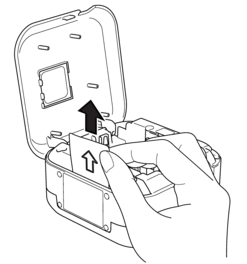
- Close the Cassette Cover.
PT-E920BT
- Place your fingers near the Tape Exit Slot.
- Open the Cassette Cover.
- Press the release tab to remove the Battery Cover.
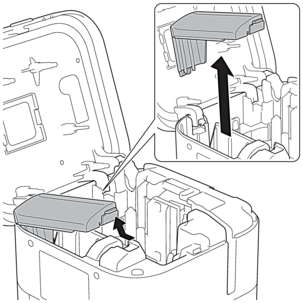
- Insert the battery.
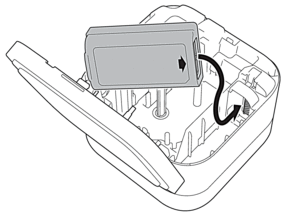
- Reattach the Battery Cover.
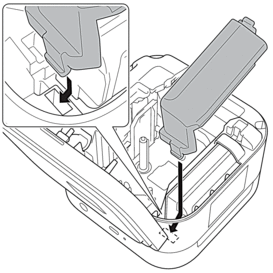
- Close the Cassette Cover.
 Printing cannot be performed when a battery is not installed.
Did you find the information you needed?